
Send a copy of an AppWeb
With Send a copy you give another Hub account an editable project of their own. A fork lands in their Mis AppWeb list; your original AppWeb does not change and is not opened for co-editing.
Imagine. Create. Share.
Great for handing a prototype to a client, passing a base app to a teammate, or letting someone rebrand it for their company with Copilot.
Three ways to “share” (they are not the same)
Send a copy
Email invite to another Hub user. When they accept, they get their own editable AppWeb in Mis AppWeb.
Duplicate
Clones the project inside your own account. Useful for variants without touching the original.
Public URL / Compilar
With Compilar you activate a link so visitors use the app (/a/…). They do not get a Studio project or Copilot edit access.
How to send a copy
- Open Hub Studio → Mis AppWeb.
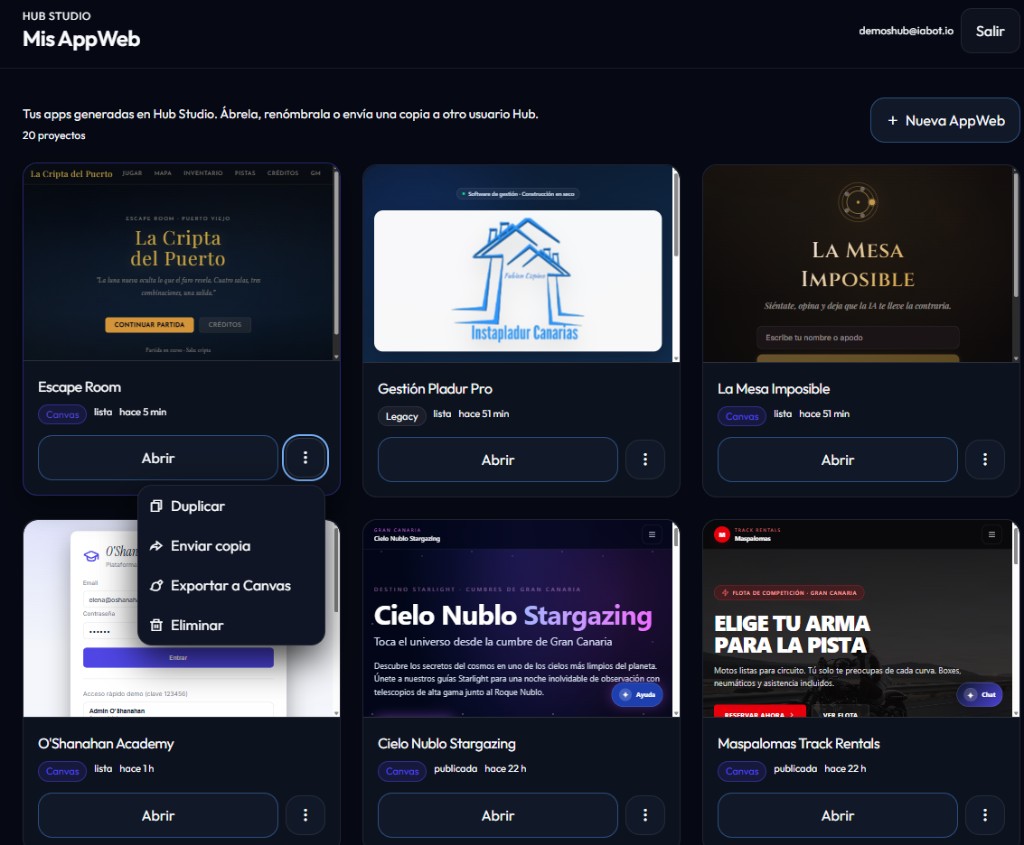
- On the project card, open the ⋮ menu and choose Send a copy (Enviar copia).
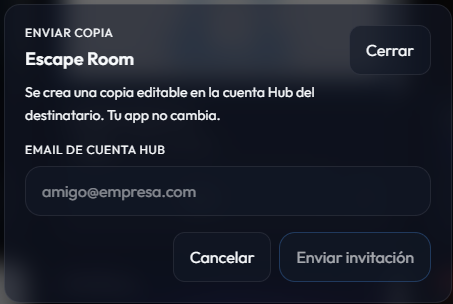
- Enter the recipient’s Hub account email (they must already have an active account).
- Click Send invite.
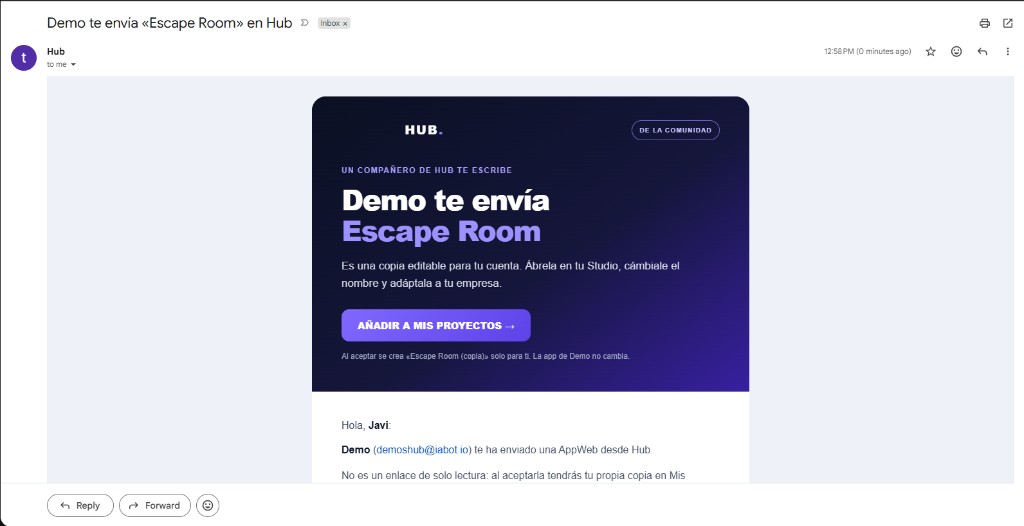
Hub emails the recipient and shows a pending invite in their Studio. You cannot send a copy to yourself — use Duplicate for that.
How to accept a copy
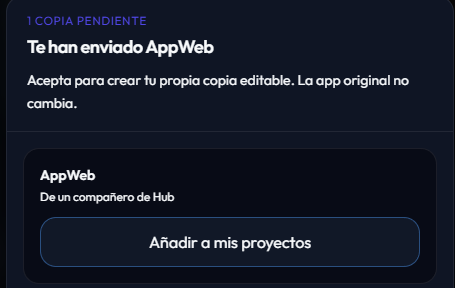
The recipient can use the email CTA (Add to my projects) or, when they open Studio, accept pending invites from the modal.
- Invites expire after 7 days.
- Accepting creates a new project, usually named “Name” (copy), owned by the recipient.
- Your original app stays unchanged: private, with your data and connections.
What they get (and what they don’t)
Included
- App code and structure (editable copy).
- Data models and sample records (up to a reasonable limit).
- Preview ready to open in Canvas and continue with Copilot.
- A Copilot welcome message with adaptation tips.
Not transferred
- API keys, secrets, or environment variables from the original.
- Hub Flow connection (WhatsApp/Telegram): starts disconnected.
- Live / public URL status of the original (the copy starts private).
- Co-edit access to your project — each person edits their own copy.
After accepting
The recipient can rename the app, change branding and data, and ask Copilot for changes (“match my brand colors”, “replace demo data”, “explain the screens”). When ready, they publish their own URL or connect their own Flow.
If something goes wrong
- “No Hub account with that email” — the recipient must sign up at hub.iabot.io first.
- Email didn’t arrive — the invite still appears in their Mis AppWeb when they sign in; check spam.
- Expired link — send the copy again from the card’s ⋮ menu.