
A real database, not fake data
Each app gets its own Postgres store. What your team saves on Monday is still there on Tuesday, and you can read and write it from outside with a REST API.
Dedicated Postgres per appNot a mockup or a pretty prototype. Hub Studio Canvas builds a real web app with AI — its own database, users and a public URL your team can start using tomorrow.
Looking for what Hub is and who it is for? iabot.io/en/hub
When someone taps the opening bubble, play a soft glup and release more bubbles across the screen
One path with Hub Studio: Canvas + Copilot. You describe the app, watch it build live and iterate in the same chat until you publish — no hand-connecting pages or separate pipelines.
In Studio you hit Create AppWeb Canvas. The workspace opens with a Welcome placeholder and Copilot ready for text or voice.
Your first message starts the build: screens, data, style and whatever you need. You can attach screenshots or a reference PDF.
Ask defines, Plan structures, Agent applies. You request changes, attach a screenshot and see the result in Preview without leaving the workspace.
When the preview looks right, Compile gives you the public URL. If it is already live, Live opens or republishes the changes.
Make the hero more immersive and highlight the three experiences with clear book CTAs
Copilot does not disappear after the first message. You stay in the same Canvas: Ask, Plan or Agent, attachments and live preview, as many times as you need.
You ask for a change in chat and it applies it to the code: creates files, adds resources, repairs the build and checks that it still works. Three modes: Ask, Plan or Agent.
The Canvas workspace shows the live app, the code, the records and the agent feed. Everything on the same screen while you iterate.
You paste a screenshot or a PDF and the agent aligns the interface to that reference. Speak or type: the microphone is in the chat.
Text assistants, image analysis, transcription, PDF or email are requested in the same Copilot message, when creating or iterating.
A mockup impresses in the demo and breaks as soon as real people arrive. What comes out of Hub stores data, tells users apart and holds up to daily use.
hub.iabot.io/a/riskboard-ia-testhub20-771855
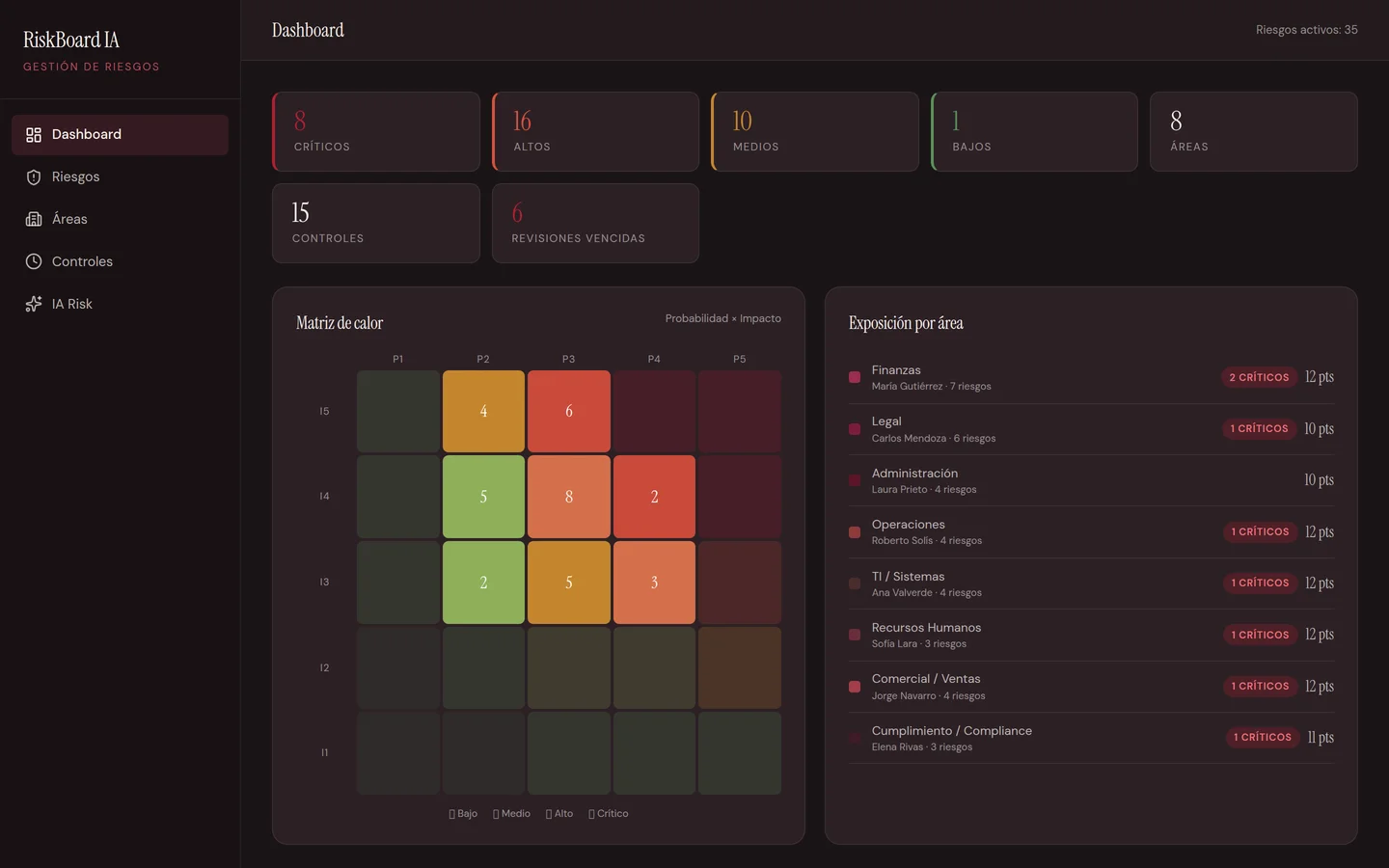
RiskBoard IA, generated from a prompt and published. No code required: open it and poke around.
Each app gets its own Postgres store. What your team saves on Monday is still there on Tuesday, and you can read and write it from outside with a REST API.
Dedicated Postgres per appReal login for app members, with role-based permissions. Each person signs in with their account and only sees what they should.
Authentication includedOne click and the app lives at hub.iabot.io/a/your-app, ready to share with your team or customers. There are 89 apps published and running today.
89 apps in production80+ resources and models ready to plug into your app: chat, vision, transcription, image, video, documents, payments and messaging.
From any app you hit Connect Flow and Hub builds the conversational automation on the same data. Your customers write —or send an audio that is transcribed automatically— and whatever they reply lands straight in the app.
Hub Bot is a separate product: AI employees, chat, mail and a real computer. Own login. Libre starts with 200 welcome credits. Autónomos 99 €, Empresas 249 €.
Four of the 89 that are published. Each card opens the real application, not a video or a guided demo: go in and poke around.
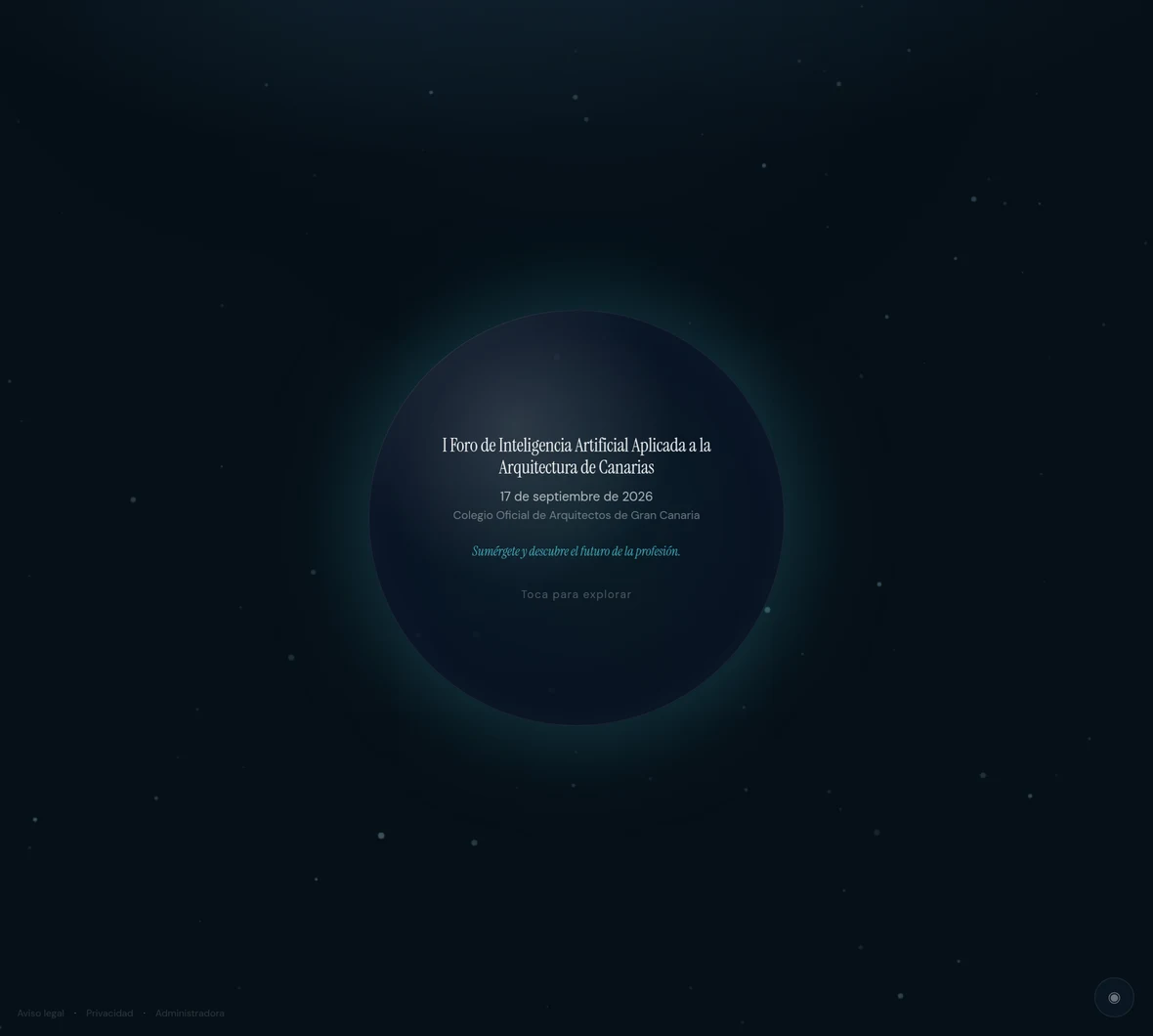
Digital installation for the I Forum on AI applied to architecture in the Canary Islands: bubbles, mind map and touch exploration.
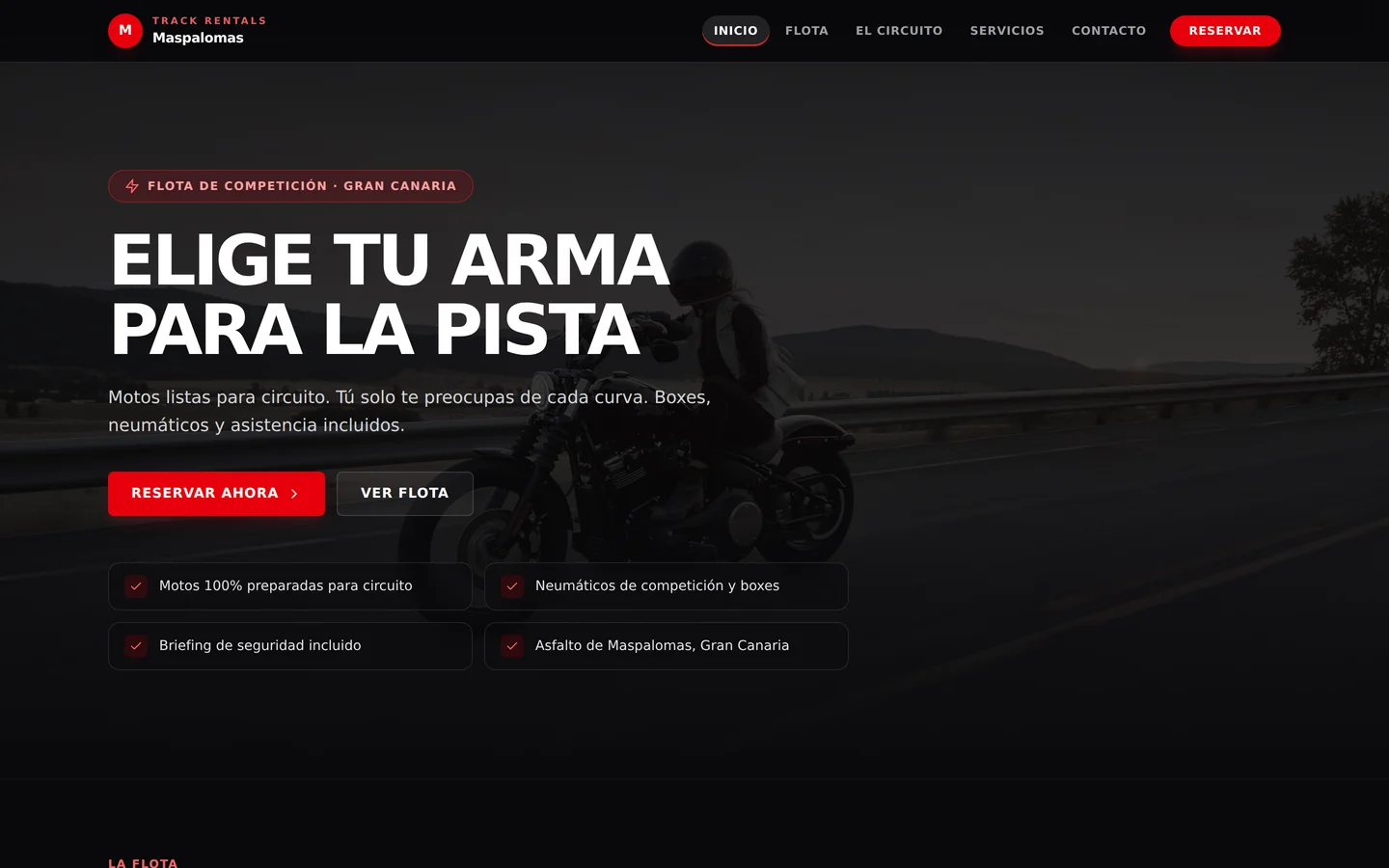
Track motorcycle rentals in Gran Canaria: 400cc and 600cc fleet, private pit box and session booking.
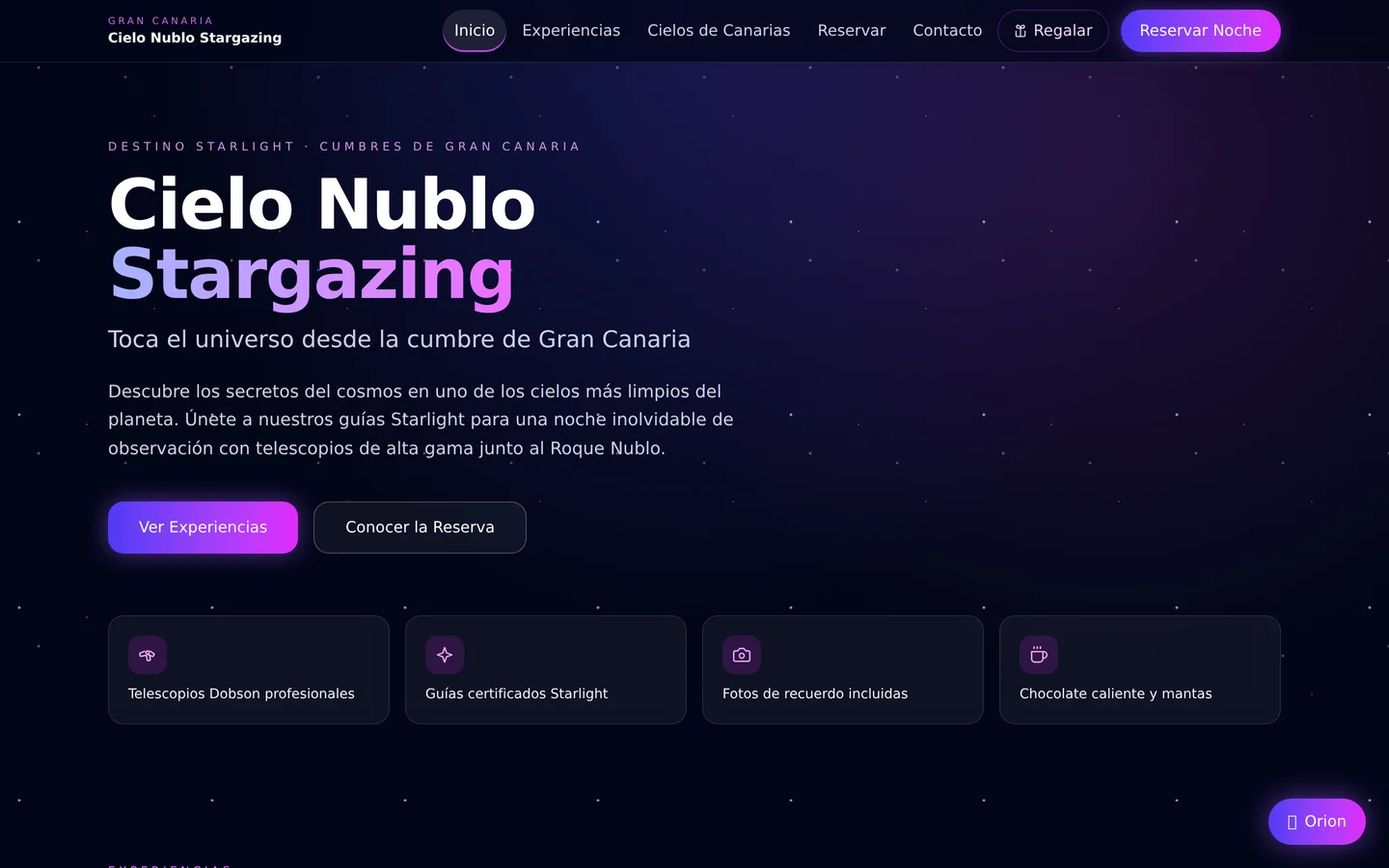
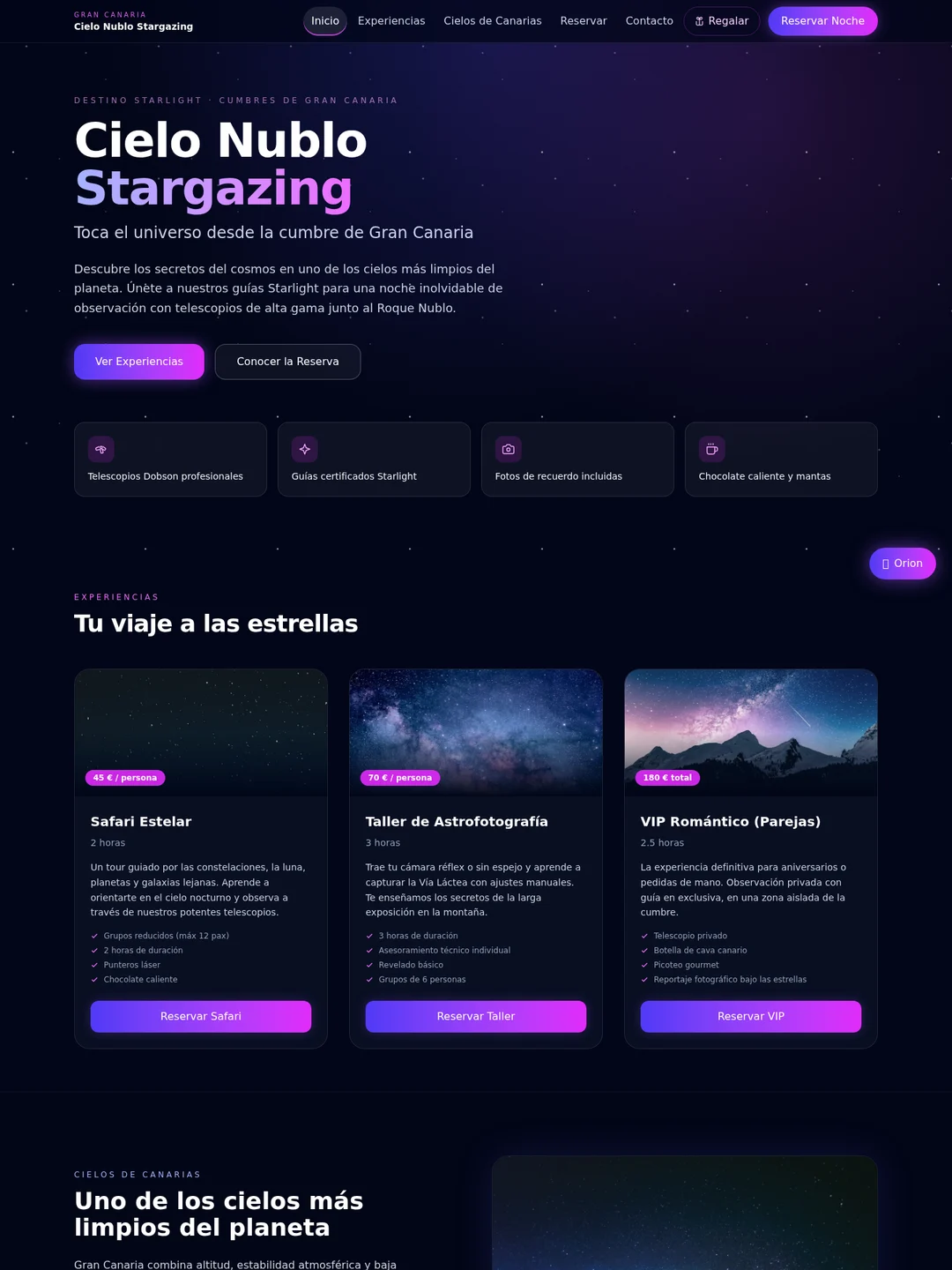
Astrotourism in the Gran Canaria highlands: star safaris, astrophotography workshop and romantic VIP nights.
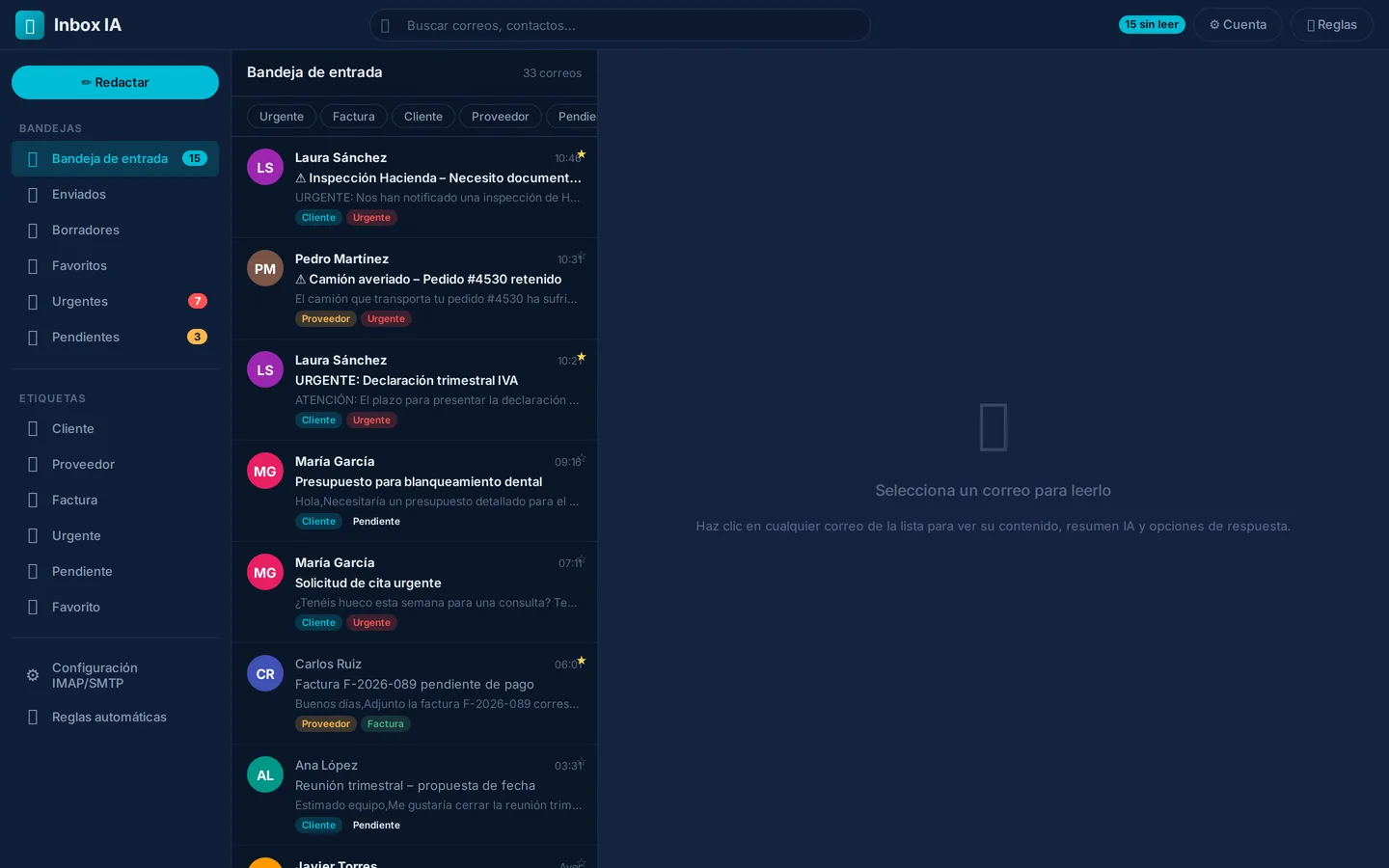
Shared inbox with automatic tagging, thread summaries and AI-drafted replies.
Create a Canvas, describe the app to Copilot and iterate until you publish. The trial plan is free and does not ask for a card.